dimecres, 22 de novembre del 2017

dilluns, 30 d’octubre del 2017
SESSION 19: Image formats, storing, publishing and sharing
Part 1: IMAGE FORMATS
a) Find out the most common formats for images and
write a short description of the features of each of them
There are 5 main formats in which to store images:
There are 5 main formats in which to store images:
- TIFF: images create very large file sizes.
- JPEG: are images that have been compressed to store a lot of information in a small-size file.
- GIF: this format compresses images but the compression is losslessThis format is never used for photography, because of the limited number of colors. GIFS can also be used for animations.
- PNG: this is a full range of color and better compression.
- Raw Image Files: contain data from a digital camera, they haven’t been processed and therefore can’t be edited or printed yet.
b) Which image format preserves the quality better
when it is compressed
The JPEG format.
The JPEG format.
c) Which formats are more suitable for web design?
The formats that are more suitable for a web design is the GIF.
Part 2: ORGANIZING IMAGES
a) This are pictures of my high school
The formats that are more suitable for a web design is the GIF.
Part 2: ORGANIZING IMAGES
a) This are pictures of my high school
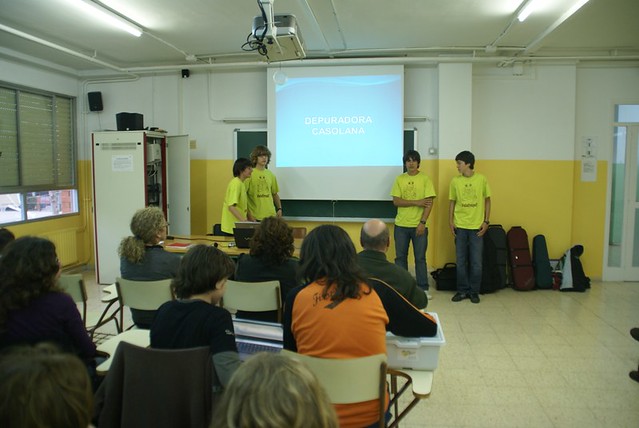
c) This is my presentation
dimecres, 18 d’octubre del 2017
dimecres, 11 d’octubre del 2017
dilluns, 9 d’octubre del 2017
dimecres, 20 de setembre del 2017
SESSION 7: Internet terms
1. INTERNET TERMS: TRUE / FALSE
1.4. IT is an abbreviation for Information Technology: TRUE
1.2. The Internet and the World Wide Web are the same thing: FALSE
1.3. A browser is a person who enjoys looking at the WWW: FALSE
1.4. You can see pictures and words online but you cannot listen to sounds: FALSE
1.5. You need the newest' fastest computers to see the Web: FALSE
1.6. Most Internet users are men: TRUE
1.7. @ Is called "at" in English: FALSE
2. MATCH THE WORDS YTO THEIR DEFINITIONS:
2.1. A BROWSER: Software that lets you access the WWW
2.2. TO DOWNLOAD: To get programs from the Internet
2.3. TO CHAT: To have a conversation through the Internet by "writing or speaking
2.4. EMAIL: Letters you send by Internet
2.5. A MODEM: Thing that connects a computer to the Internet.
2.6. Wi-Fi: Wireless device that allows computers to connect to the Internet using a router:
2.7. ON-LINE: When you are connected to de internet
2.8. SOFTWARE: Computer programs.
2.9. SCROLL DOWN/UP: Move the page up or down using the side tabs with your mouse.
3. CHOOSE THE BEST WORD TO COMPLETE THESE SENTENCES:
3.1. I use a fast modem to connect my computer to the Internet.
3.2. RealPlayer is computer software that you se to listen to music on the World Wide Web.
3.3. I always save my documents on floppy disks.
3.4. Chat is a good way of meeting other people on the Internet.
3.5. A beep is a sound your computer makes when there is an error.
4. Answer these questions
4.1. The difference is that a Browser we usually use to acces information to the internet, and the Search Engine to point you in the right direction of a website.
Examples: google, mozilla firefox, internet explorer, https...
4.2. I always use google because it's more popular than the others.
4.3. I use more https than for example WWW.
1.4. IT is an abbreviation for Information Technology: TRUE
1.2. The Internet and the World Wide Web are the same thing: FALSE
1.3. A browser is a person who enjoys looking at the WWW: FALSE
1.4. You can see pictures and words online but you cannot listen to sounds: FALSE
1.5. You need the newest' fastest computers to see the Web: FALSE
1.6. Most Internet users are men: TRUE
1.7. @ Is called "at" in English: FALSE
2. MATCH THE WORDS YTO THEIR DEFINITIONS:
2.1. A BROWSER: Software that lets you access the WWW
2.2. TO DOWNLOAD: To get programs from the Internet
2.3. TO CHAT: To have a conversation through the Internet by "writing or speaking
2.4. EMAIL: Letters you send by Internet
2.5. A MODEM: Thing that connects a computer to the Internet.
2.6. Wi-Fi: Wireless device that allows computers to connect to the Internet using a router:
2.7. ON-LINE: When you are connected to de internet
2.8. SOFTWARE: Computer programs.
2.9. SCROLL DOWN/UP: Move the page up or down using the side tabs with your mouse.
3. CHOOSE THE BEST WORD TO COMPLETE THESE SENTENCES:
3.1. I use a fast modem to connect my computer to the Internet.
3.2. RealPlayer is computer software that you se to listen to music on the World Wide Web.
3.3. I always save my documents on floppy disks.
3.4. Chat is a good way of meeting other people on the Internet.
3.5. A beep is a sound your computer makes when there is an error.
4. Answer these questions
4.1. The difference is that a Browser we usually use to acces information to the internet, and the Search Engine to point you in the right direction of a website.
Examples: google, mozilla firefox, internet explorer, https...
4.2. I always use google because it's more popular than the others.
4.3. I use more https than for example WWW.
Subscriure's a:
Missatges (Atom)